Minutes
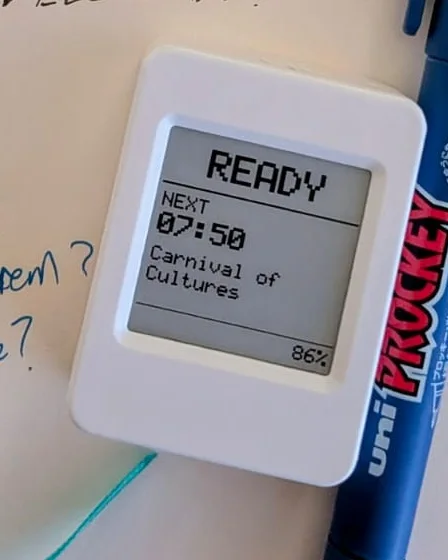
Minutes is a one-button meeting recorder for my desk. Press REC and a red light comes on, and audio is encrypted on the device the moment it is recorded. The device holds only a public key, so it can lock a recording but never unlock it. A USB cable carries recordings to one approved laptop, which transcribes them locally the same day and files the transcript privately into my notes. Version 0.2 keeps audio off every network. Photos show the working prototype; drawings show the earlier version.
How it works.
One button, four steps.
Press
Press REC as the meeting starts. The red light comes on and the screen shows REC with the meeting from my calendar.
It locks
Audio is encrypted on the device the moment it is recorded, in one-minute pieces. The device holds only a public key, so it can lock a recording but never unlock it.
One cable
Recordings leave only over a USB cable, to one approved laptop. The key that opens them lives in that laptop’s secure chip, where it cannot be copied out.
The transcript lands
The laptop transcribes locally the same day and files the transcript privately into my notes. Audio never touches any network. A private cloud copy of the transcript is made for the meeting.
Spec sheet.
- Board
- ESP32-S3 with 8 MB flash and 8 MB PSRAM, audio codec, onboard microphone and real-time clock
- Screen
- 1.54 in e-paper, 200 × 200 pixels, four colours: black, white, red and yellow
- Recording
- 16 kHz mono to a microSD card, saved a minute at a time, three-hour cap
- Battery
- Single-cell LiPo, charged over USB-C. Runtime not yet measured
- Privacy
- Encrypted on the device with an open standard (age), using a public key only. The device has no way to decrypt. Only the approved laptop can open a recording, and it transcribes with an open-source speech model on the laptop itself. Audio is never uploaded to any service
- Transfer
- Over the USB cable only. The laptop checks each copy and confirms it before the device deletes anything. The firmware contains no Wi-Fi code, which can be checked in the binary
- Sharing
- Only the transcript text leaves the laptop, as a private cloud copy. Sharing it with colleagues stays off until it has been tested
- Signal
- Red light on exactly while the microphone is capturing. I record only with the room’s agreement
Status: version 0.2 in use, November 2026. Encryption on the device, transfer over the cable and transcription on the laptop are tested end to end on the bench. Sharing transcripts with colleagues stays off for now.
A closer look
3 views · From the project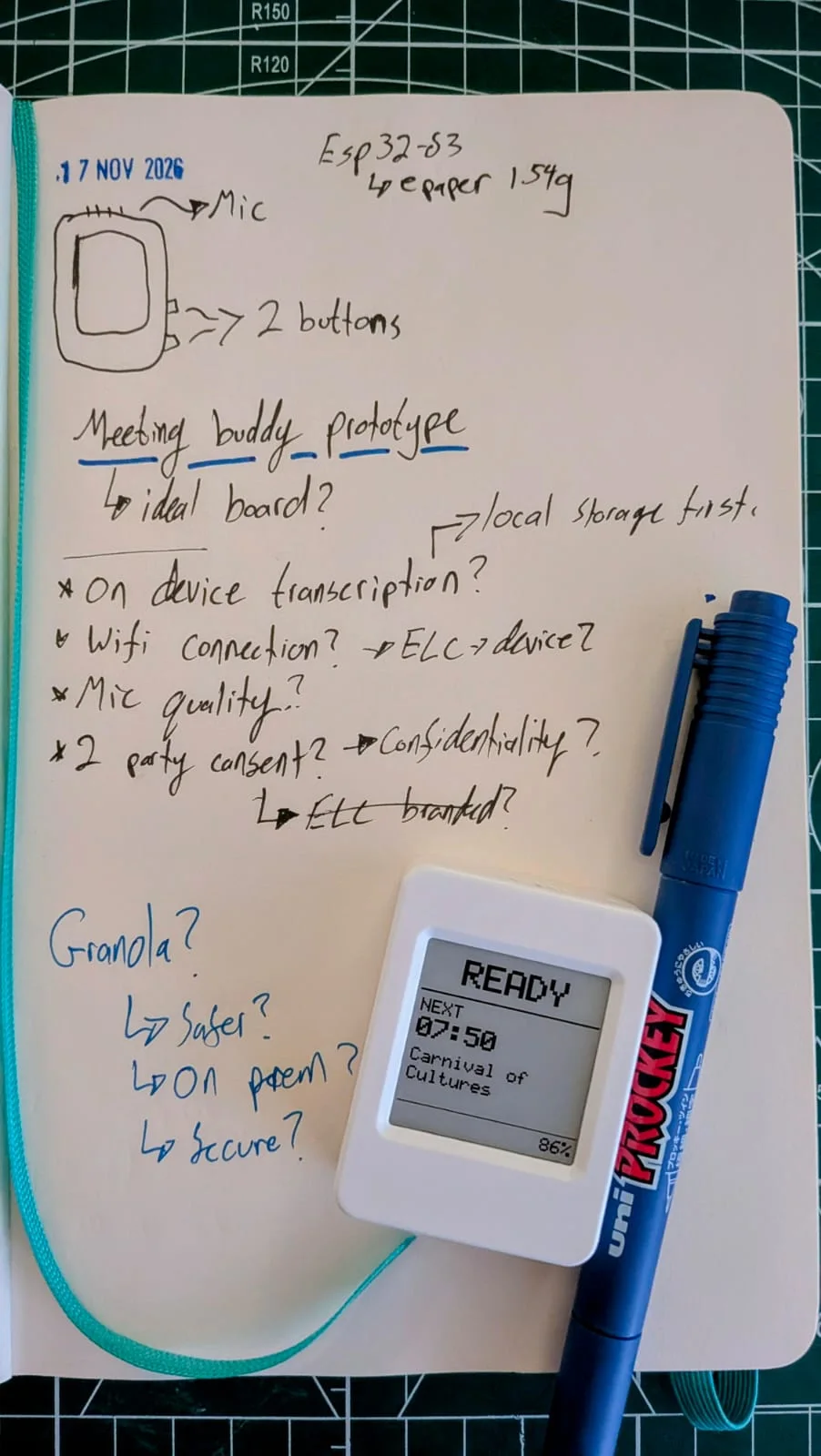
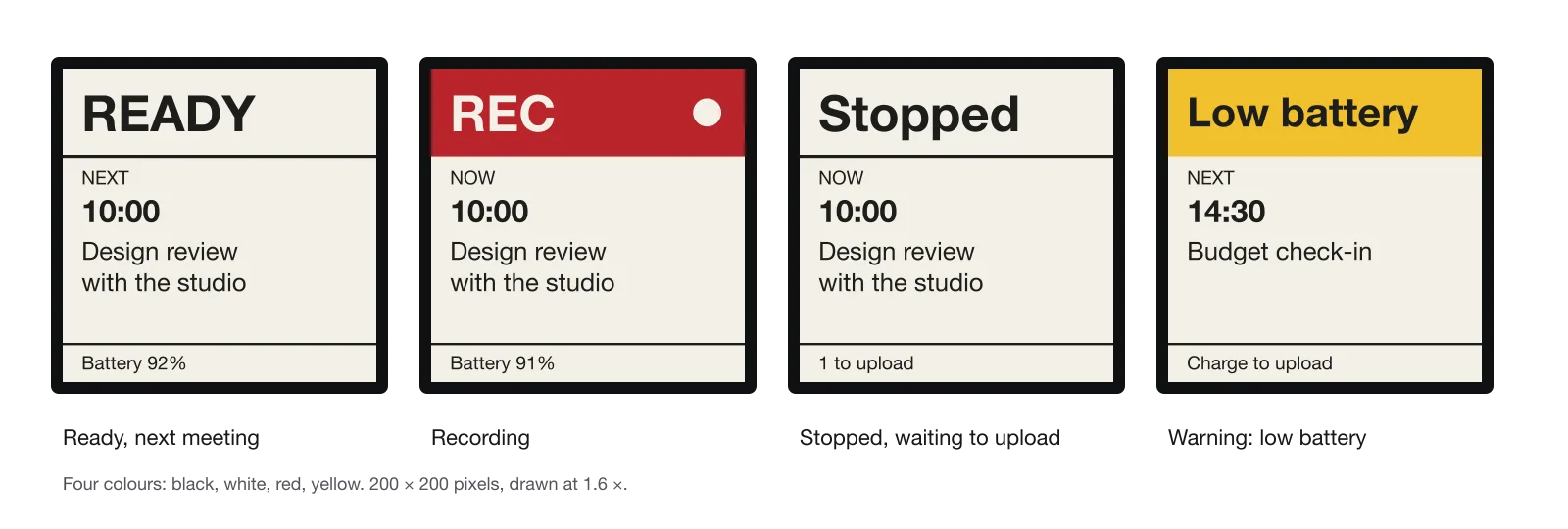
Image description
Four screens. READY: Next, 10:00, Design review with the studio, footer Battery 92%. REC on red: Now, 10:00, Design review with the studio, footer Battery 91%. Stopped: Now, 10:00, Design review with the studio, footer 1 to upload. Low battery on yellow: Next, 14:30, Budget check-in, footer Charge to upload. Four colours: black, white, red, yellow; 200 by 200 pixels. Upload wording belongs to the earlier version; the USB version says copying instead.
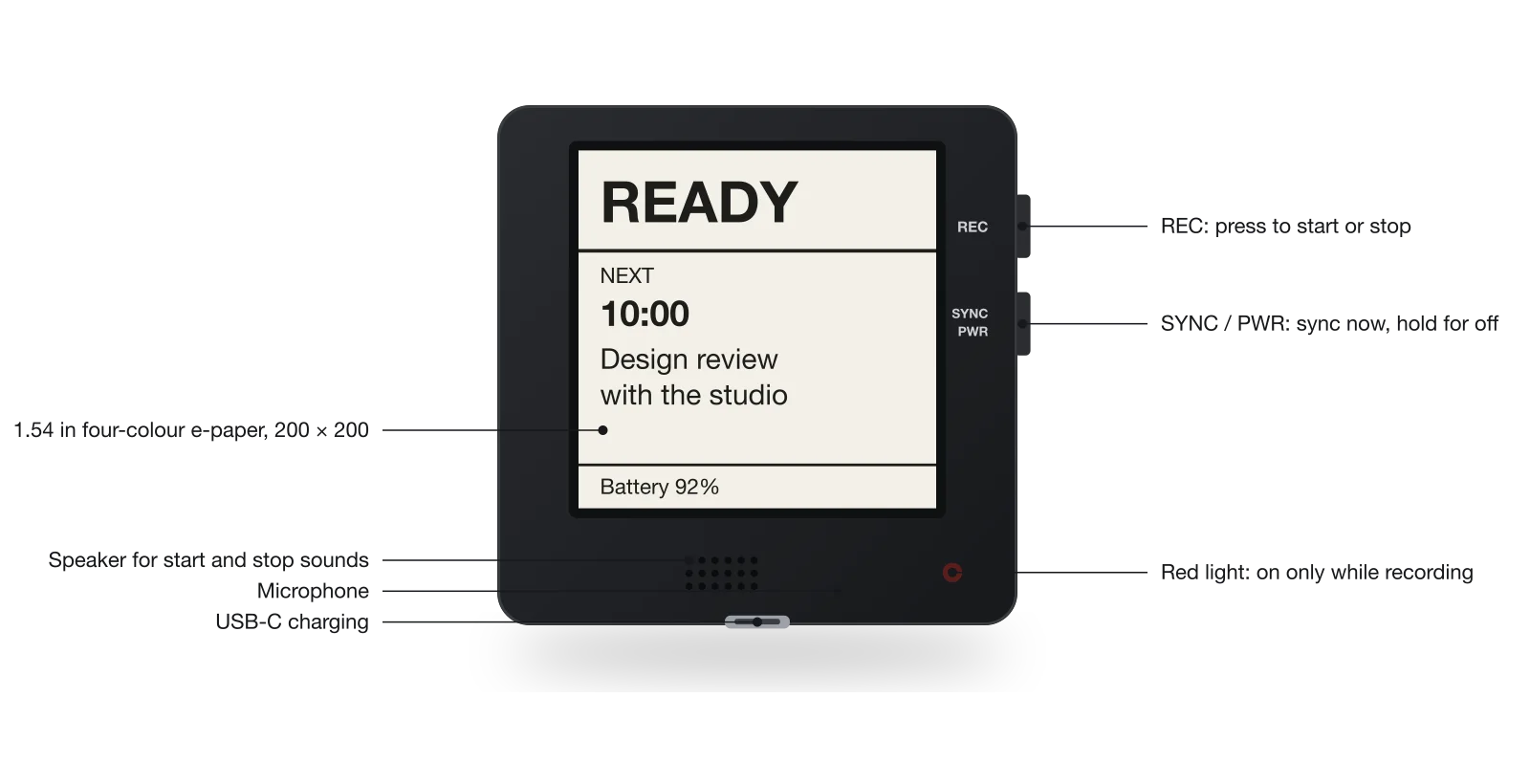
Image description
Callouts: 1.54 in four-colour e-paper, 200 by 200. REC button: press to start or stop. SYNC / PWR button: sync now, hold for off. Red light: on only while recording. Speaker for start and stop sounds. Microphone. USB-C charging. Sync now belongs to the earlier version; in the USB version a short press of that button does nothing and the cable also carries recordings.